THE SHORT ANSWER
Whisperr vs WhisperX
Choose Whisperr for live translation. Choose WhisperX.app for reviewing word-timed, speaker-labeled transcripts and exporting subtitle files.
| What you need | Whisperr | WhisperX.app |
|---|---|---|
| Live translation | Yes | No |
| File transcription | Yes + translation | Yes, original language |
| Word times & speakers | Not documented¹ | Yes, with review controls |
| Subtitle files | Vendor says no¹ | SRT + VTT |
| Free file minutes | 20 / month¹ | 5 once · English |
¹ Per Whisperr’s upload guide and export comparison. Undocumented means unconfirmed. Both services accept recordings.
By the WhisperX.app team · Reviewed · Independent, unofficial service
AT A GLANCE
Whisperr vs WhisperX: compare the workflow
Start with the result you need to keep. Both services can transcribe a file; the timing, review and export workflow is what to examine next.
| Your workflow | Whisperr | WhisperX.app |
|---|---|---|
| Main workflow | Live speech transcription and translation | Upload a recording, review the transcript, export files |
| Audio and video uploads | Available in the web app, with optional translation | Available, with transcription in the original language |
| Word-level timestamps | Not specified in the reviewed upload documentation | WhisperX forced alignment; click timed words to replay audio |
| Speaker labels | Not specified in the reviewed upload documentation | Optional diarization; rename speakers and correct turn assignments |
| Subtitle files | Its comparison page says subtitle file export is unavailable | Download SRT and VTT; TXT and word-level JSON also included |
| Live translation | A core feature, including microphone and device-audio capture | Not available; processing starts with an uploaded recording |
Whisperr feature descriptions come from its upload guide and published comparison. A feature not documented in those sources is unconfirmed, rather than proven absent. This is a workflow comparison, not a head-to-head accuracy test.
01 / FIND THE EXACT WORD
Word-level timestamps you can inspect
A paragraph of text tells you what was said. Word-level timing helps you return to a name, a quote or a phrase in the recording. WhisperX adds forced alignment after recognition to estimate the position of recognized words.
Click a word in this real sample to hear its place in the audio. Download the JSON to inspect the available start and end times instead of relying on a screenshot.
Some positions may be estimated or missing. Editing the transcript does not create fresh alignment; keep the original output when precise timing matters.
Review word timestamps in the editor ↗
Click a word to hear it in the recording.
02 / FOLLOW THE CONVERSATION
Speaker labels that stay useful after the call
For an interview or meeting recording, enable diarization to group voice turns. The editor lets you name the groups and correct individual assignments after listening.
Export labeled TXT for a readable interview, or JSON when your next step needs structured speaker and timing data. Speaker names are not automatically inserted into SRT or VTT captions.
Labels describe voice groups within one file, not verified identities. Overlap, similar voices and short replies can cause mistakes. This synthetic two-voice example shows the returned labels; it is not a speaker-accuracy benchmark.
Transcribe a recording with speaker labels ↗
0.09s
How do I run WhisperX without installing it?
3.20s
Upload an audio file, choose your language, and start transcription.
8.27s
Can I download Word timestamps and subtitles?
Listen to the matching two-voice recording
03 / TAKE THE RESULT WITH YOU
Download subtitles for your next edit
When the output needs to leave the browser, WhisperX.app provides SRT and VTT subtitle files alongside TXT and JSON. Keep the original machine result or export your reviewed version without running another transcription.
SRT and VTT use segment-level cues. JSON preserves the available word-level timestamps. Import subtitles beside the matching source media and check the first, middle and final cues before publishing.
The files below match the short recording in the word-timing sample. Download them now; no account is required.
This produces subtitle files, not a new video with burned-in captions. Create SRT or VTT from your recording ↗
ORIGINAL VTT CUE
WEBVTT

00:00:00.051 --> 00:00:02.315
Welcome to this WhisperX example.MAKE THE CHOICE
When a Whisperr alternative fits your task
Choose Whisperr when you need to understand speech in another language while it is happening. Choose WhisperX.app when your task is to review a recording and hand over timed text, speaker-labeled transcripts or subtitle files.
For example, a live multilingual meeting calls for a translation workflow. A recorded interview that needs named speakers, quotable passages and an SRT for editing calls for a transcript-review workflow. WhisperX.app does not translate speech, join meetings or provide live overlays.
For your own file, start with the one-time five-minute English trial after account verification. Other supported recording languages require paid access. Check current WhisperX.app plans and minute packs against your recording length and the output you need. Compare included minutes, file limits and export formats before choosing a plan.
Follow the upload, review and export guide ↗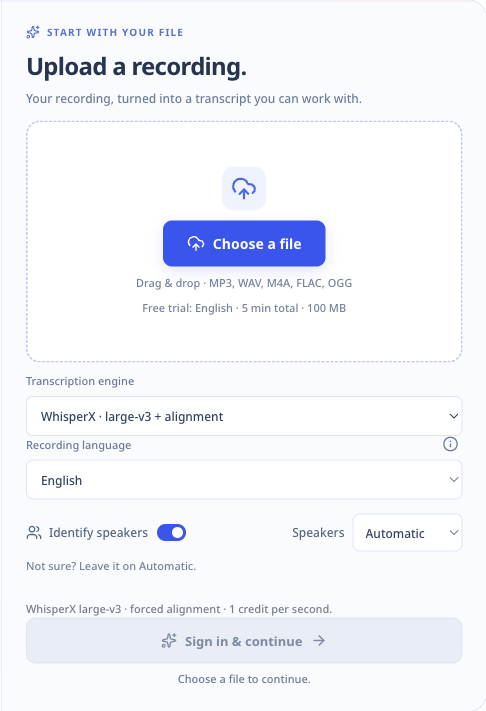
GOOD TO KNOW
Whisperr vs WhisperX: common questions
Are Whisperr and WhisperX the same product?
No. Whisperr is a separate transcription and translation service. WhisperX is an open-source speech recognition pipeline with word alignment and optional speaker diarization. WhisperX.app is an independent, unofficial hosted service for that pipeline, with no affiliation to Whisperr, the WhisperX authors or OpenAI.
Is WhisperX.app a Whisperr alternative?
For recorded audio or video, it can be an alternative when you need word timestamps, editable speaker labels and downloadable transcripts or subtitles. It does not replace Whisperr’s live translation, floating subtitles or conversation features.
Can I download SRT, VTT and speaker-labeled text?
Yes. WhisperX.app exports SRT and VTT subtitle files, TXT transcripts and structured JSON. Speaker names appear in TXT and JSON when labels are available. SRT and VTT contain timed text without automatically adding speaker names. Word-level timing is in JSON; subtitle cues use segment times.
Which is more accurate, Whisperr or WhisperX?
This comparison does not establish an accuracy winner. The samples show actual WhisperX output, not a controlled test against Whisperr. Check names, uncertain words, timestamps and speaker changes on your own recording before relying on a result.
Can I try the output without paying?
You can play and download the public samples without an account or a processing charge. For your own recording, WhisperX.app offers a one-time five-minute English trial after account verification. It is not a recurring monthly allowance. Paid access unlocks the other supported recording languages.
SOURCES & SAMPLE PROVENANCE
Check the documentation and the output
Reviewed November 2, 2026 by the team operating WhisperX.app. Whisperr capabilities are based on its public documentation; we did not run a paid Whisperr comparison test.
- Whisperr: live voice translation — microphone, device audio and live translation workflows.
- Whisperr: upload a file — recorded audio and video transcription, optional translation and upload limits.
- Whisperr: published feature comparison — its stated subtitle-export availability.
- Open-source WhisperX — the upstream transcription, alignment and diarization pipeline.
The examples on this page reuse our existing synthetic recordings and actual WhisperX large-v3 output. They demonstrate the output format, not real-world accuracy. Read sample credits and processing details, or inspect the homepage’s natural-speech examples.
WhisperX.app is independent and unofficial. It is not affiliated with Whisperr, the WhisperX authors or OpenAI.